
Available in Listivo 2.3.91 and newer
The Pause Listing option allows users to hide a published listing and bring it back later.
- Go to Listivo Panel → Settings in WordPress.
- Open the Features tab.
- Turn on Pause Listing.
- Click Save Changes.
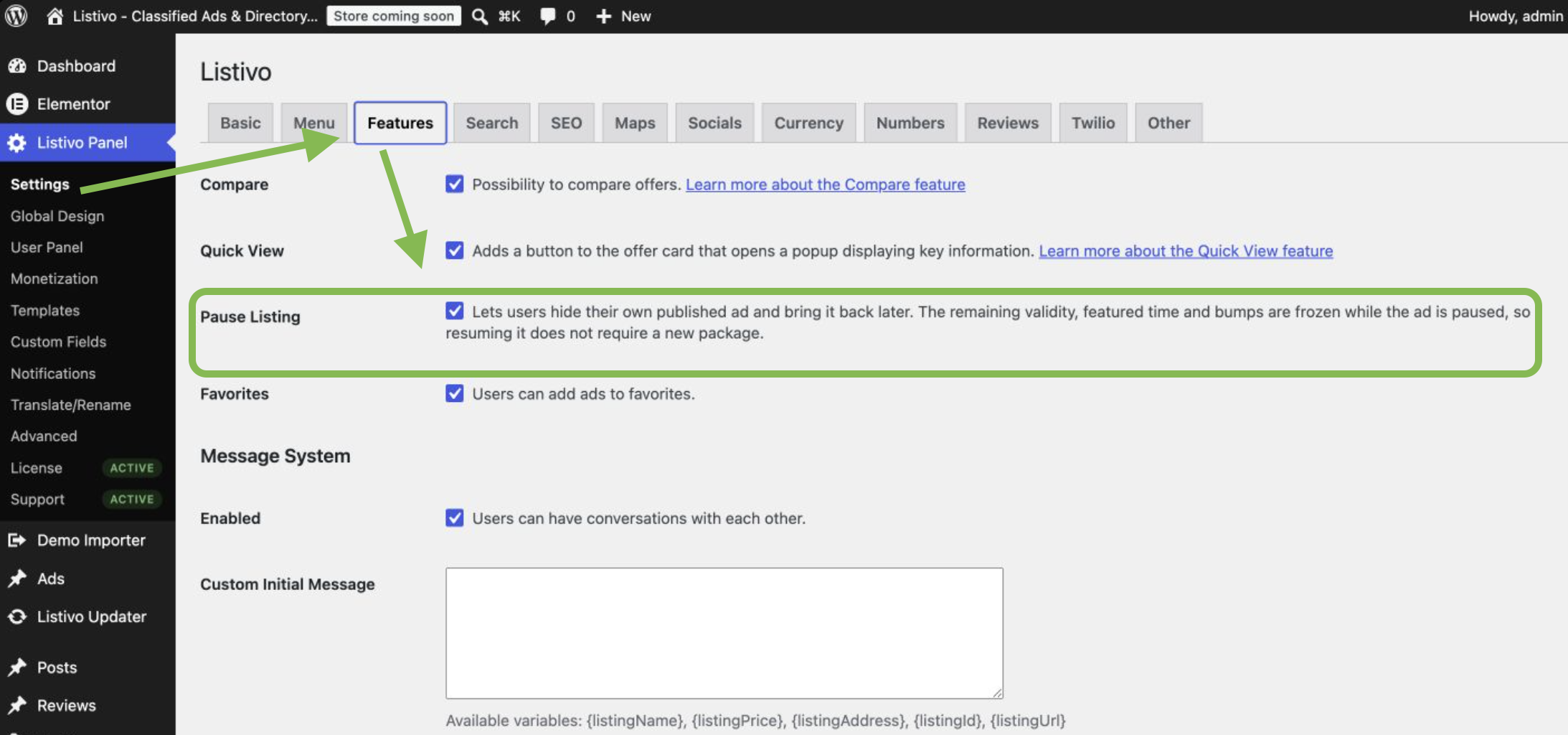
Users will now see a Pause or Resume button on the listing card in My Ads. The same buttons are also available on the listing edit page.
How to pause a listing
- Open the user panel and go to My Ads.
- Find the listing you want to hide.
- Click Pause.
- Confirm the action in the pop-up window.
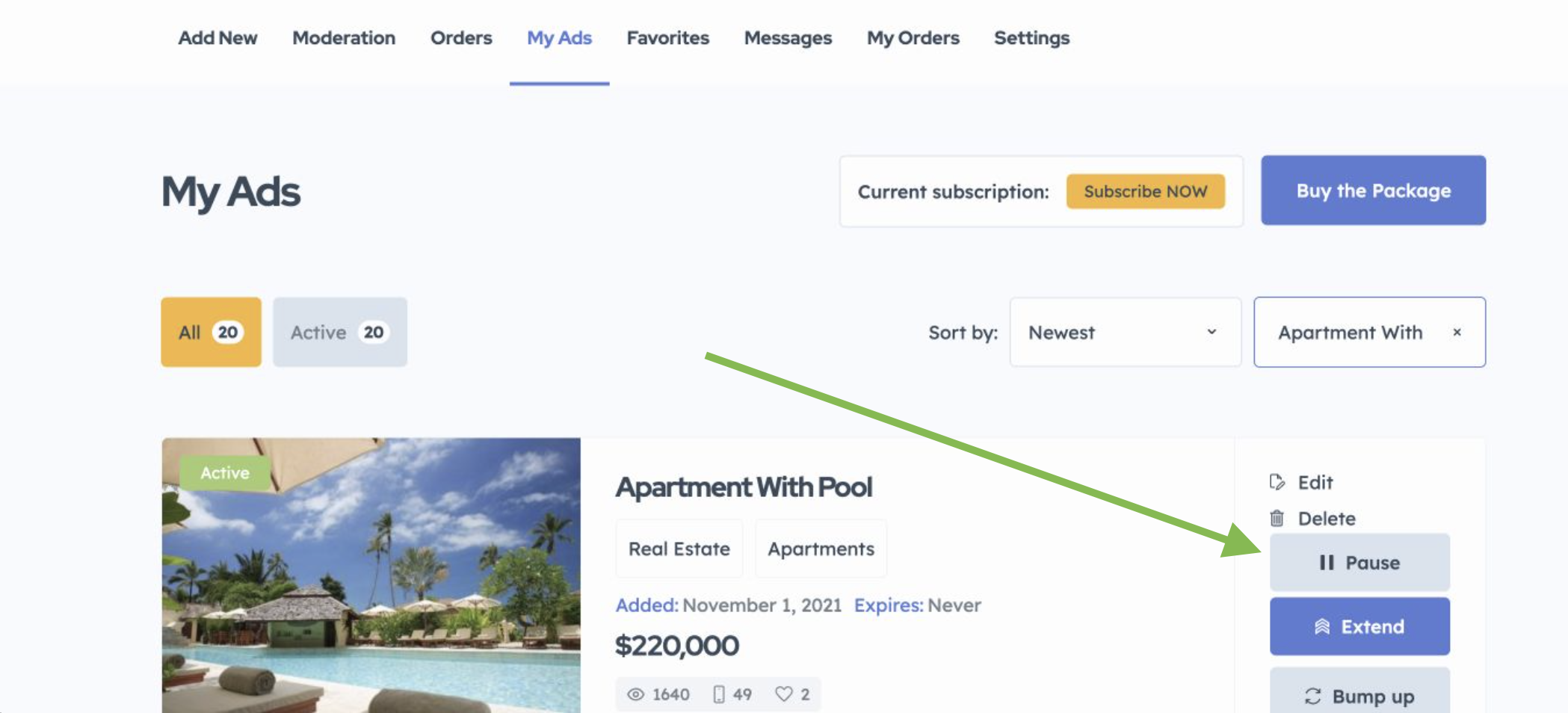
After a listing is paused:
- it is hidden from the website and search results;
- visitors who open its old link will see a 404 page;
- Listivo clears the search cache and page cache;
- the listing expiry time stops;
- the remaining featured time stops;
- planned bumps are saved for later;
- the listing cannot expire while it is paused;
- the user cannot add another package to it, including a free package.
How to resume a listing
- Go to My Ads.
- Open the Draft tab.
- Find the listing with the Paused status.
- Click Resume.
- Click Resume again in the pop-up window.
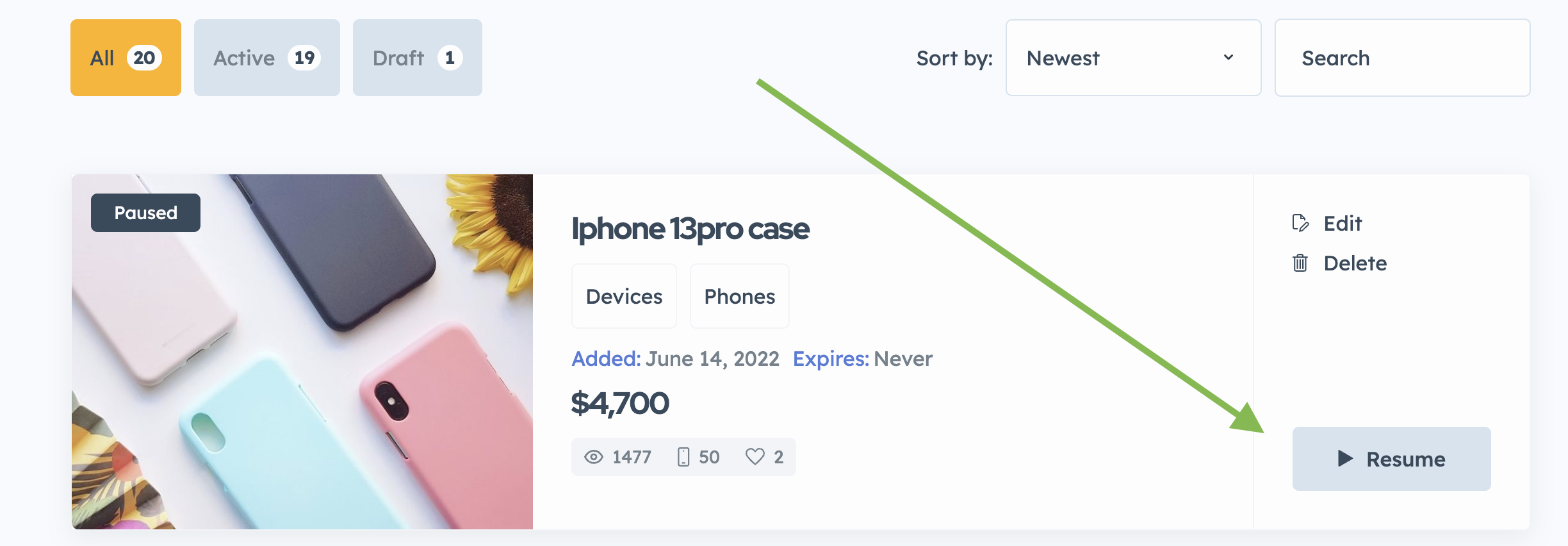
The listing will be visible on the website again. Its expiry time, featured time, and planned bumps will continue from the point when the listing was paused.
Resuming a listing does not use a package. It also does not change the original publication date. This means the listing will not move to the top of results sorted by newest.
A paused listing cannot be brought back by adding a new package. The user must use the Resume button.
What moderators see
Moderators can see the Paused status in the moderation panel.
If a moderator selects Publish for a paused listing, Listivo will resume it in the same way as the Resume button. The saved expiry time, featured time, and bumps will stay correct. The listing will not be treated as a new listing.